Python 54axhg5: Myth Busted — What It Actually Is
If you typed “python 54axhg5” into Google, you probably saw this string in a log file, a build output, or a corner of the search results — and you want to know whether it is something you need to install, update, or fix. This odd little phrase confuses plenty of developers.
Here is the honest answer up front: Python 54axhg5 is not a Python version, not a module, not a bug, and not a feature. No Python release carries that name, and the official documentation never mentions it. This article explains what the string actually is, why some websites keep inventing definitions for it, and how to solve the real problem you were likely trying to fix.

The Short Answer: Python 54axhg5 Does Not Exist
There is no entry for “54axhg5” in the official Python release history, the CPython issue tracker, the standard library documentation, or the Python Package Index. Real Python releases are named with simple numbers — 3.12.10, 3.13.7, 3.14, 3.15 — following one fixed scheme that has never included random letter-and-number mixes like 54axhg5.
Official versions always take the form major.minor.micro, such as 3.11.6 or 3.13.5, with optional alpha, beta, or rc tags for pre-releases. Letters appear in release labels (for example 3.15.0rc3), but never as a jumbled alphanumeric blob. A string like 54axhg5 did not come from the Python Software Foundation.
You can verify this in under a minute on python.org: the downloads page lists every release through today’s 3.14 line and the 3.15 release candidates, and not one of them is called 54axhg5. When something claims to be a Python feature but appears nowhere in official channels, that absence is the evidence.
What the String “54axhg5” Actually Resembles
Most likely, 54axhg5 is one of the countless random identifiers that software tools generate every day. Seven characters of mixed digits and lowercase letters is exactly the shape of an auto-generated token — and those tokens appear near the word “Python” in logs, which is how the two get glued together in search results.
Build and Run IDs From CI Pipelines
Continuous integration systems and cloud task runners mint short unique IDs for every build or test run. When a Python script runs inside one of those systems, the tool’s internal label can land on the same log line as the word Python. A line like “python-54axhg5” in a CI log is a job tag, not a language version.
Temporary File and Script Names
Developers create throwaway files with random suffixes to avoid name collisions — test_54axhg5.py, python_54axhg5.py, output_54axhg5.log. These names are local and disposable. When someone copies an error message containing such a filename into a forum post, the random suffix travels with it and looks like part of the error.
Tokens Pasted Into the Search Box
Sometimes the mystery starts with the searcher. A developer sees an unfamiliar token in a log and pastes just that fragment into Google — and because content farms have already paired it with the word “Python,” the results treat it as a real concept.
Where Did the Phrase “Python 54axhg5” Come From?
The trail here points squarely at low-quality SEO content — pages written to capture search traffic rather than to document anything real.
Content Farms Invented Definitions for It
Several websites have published long articles treating Python 54axhg5 as a genuine technical concept. One describes it as an “advanced cryptographic module” and lists invented functions for hashing, encryption, and key rotation. None of those functions exist anywhere in the Python ecosystem: no such package on PyPI, no such module in the standard library. The samples look plausible at a glance — which is exactly what makes them dangerous for beginners.
Origin Stories With No Evidence
Another article traces the term to an internal tracking code from a computational biology project — citing no commit, no log file, no ticket, and no verifiable source. A genuine origin story leaves evidence: a repository, a dated message, a public thread.
Why Search Engines Amplify the Myth
Once several pages repeat a phrase, search engines treat it as “something people search for,” which encourages more pages targeting it. The phrase looks technical enough that few readers question it, so each new article borrows authority from the last — until an invented term owns a whole page of results, none of them real.
Red Flags: How to Spot an Invented Python “Feature”
The same playbook is reused for many invented tech terms. Be skeptical of any article showing most of these signs:
- It never links to docs.python.org, python.org, or the official issue tracker.
- It gives install instructions for a package missing from PyPI.
- It documents API functions with no GitHub repository or maintainer.
- It quotes benchmark numbers with no methodology behind them.
- Several sites use suspiciously similar wording for the same “feature.”
A real Python feature is documented in at least two of three places: the official docs, a public repository, and PyPI. Missing all three means the feature is not real.
How to Find Your Real Python Version
Instead of chasing a phantom version string, take thirty seconds to identify the interpreter you actually have:
python --version
python3 --version
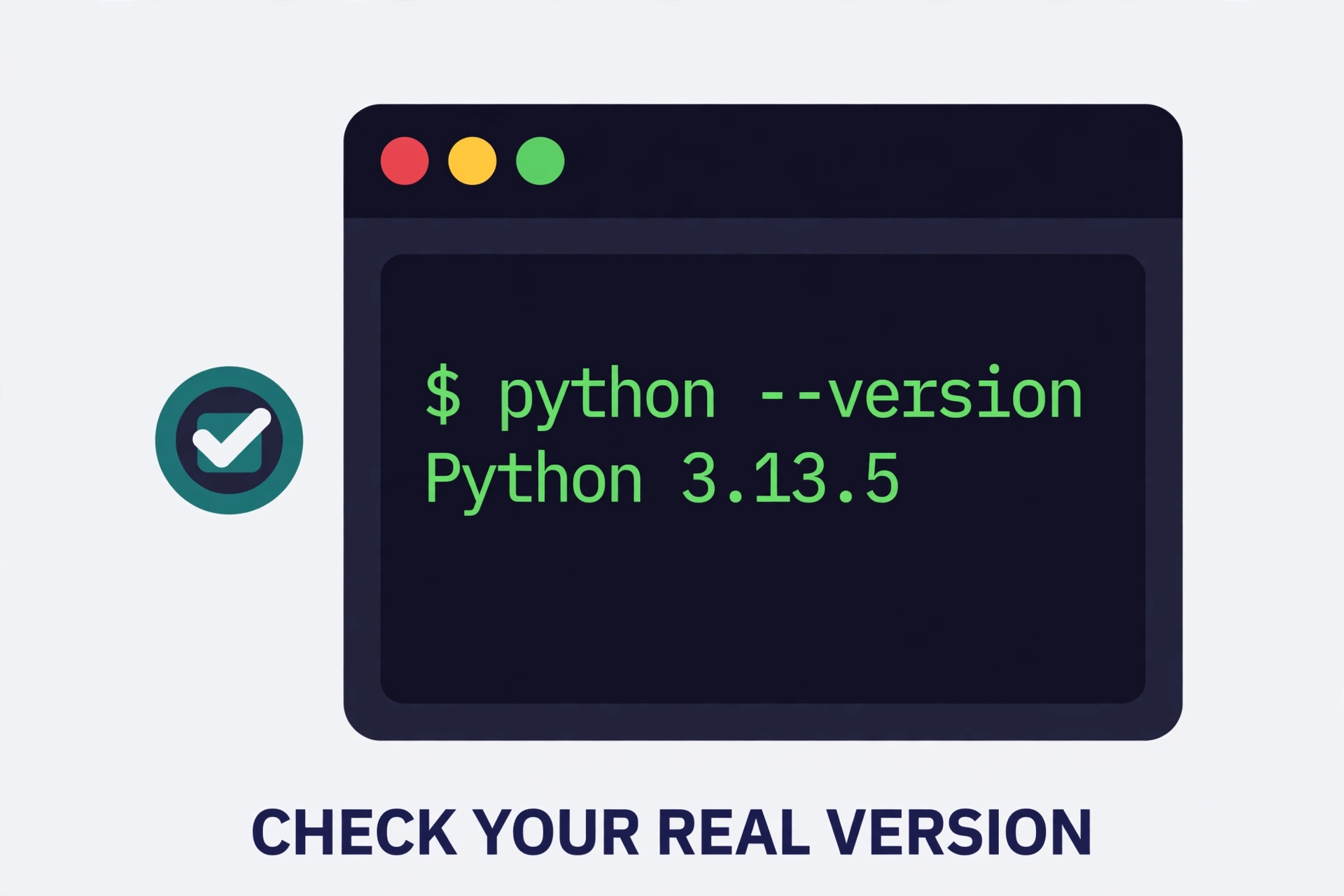
Both print something like Python 3.13.5. For full detail inside a script, use import sys; print(sys.version). Also check which interpreter your shell is really using, since many machines have more than one installed:
which python
pip --version
The pip --version line names the Python installation pip belongs to, which resolves most “I installed it but Python cannot find it” confusion.
A Quick Guide to Real Python Version Numbers
The major number (3) is the language generation — Python 2 reached end of life in 2020. The minor number (13) is the feature release, arriving roughly once a year. The micro number (5) is the bugfix release.
The rule is simple: numbers separated by dots, letters only in the standard pre-release tags. A string like 54axhg5 breaks every rule of the naming scheme.
How to Debug the Real Problem Behind Your Search
You probably searched for “python 54axhg5” because something was actually broken. Forget the random string — it was never the problem — and work through these steps:
- Search the full error message, not the fragment. Copy the exception name and message — for example “ModuleNotFoundError: No module named ‘requests'” — and search that. Real error text leads to real solutions.
- Read the whole traceback. The last line names the exception and its message; the lines above show the file and line number where things went wrong.
- Identify the exception type. TypeError, ValueError, KeyError, and ImportError are real, documented exceptions with known causes. A label like 54axhg5 matches none of them — ignore it and focus on the real exception name.
- Check your environment. Run
which python,python --version, andpip check. Many “mystery bugs” are two interpreters fighting over one project, or two packages demanding incompatible versions of the same dependency. - Rebuild the virtual environment. Delete the
venvfolder, recreate it withpython -m venv venv, and reinstall from your requirements file. This clears corrupted installs, stale bytecode, and half-finished upgrades in one move. - Make a minimal reproducible example. Strip your script to the smallest code that still triggers the failure. If the small version works, add pieces back until it breaks — you have found the culprit.
- Match library versions to the docs. If an error appeared right after an upgrade, check that library’s changelog. The fix is usually a renamed argument or a moved import, not a language bug.
- Ask in trusted places with the full error. Stack Overflow, the Python community forums, and project issue trackers can help — but only with the complete traceback plus your environment details, never just the random-looking fragment.
Frequently Asked Questions
Is Python 54axhg5 real?
No. There is no Python version, feature, module, error code, or bug called 54axhg5. It appears nowhere in the official Python documentation, the release history on python.org, the CPython issue tracker, or the Python Package Index.
Why do some websites claim Python 54axhg5 exists?
Because invented technical terms attract search traffic. Content farms publish articles treating the string as a real concept — one even describes a fake “cryptographic module” with made-up functions — and search engines surface those pages to anyone who pastes the string into Google. None of them link to official documentation, because there is none.
Could 54axhg5 be a virus or malware?
The string itself is harmless text. But never install a package just because an article claims it fixes “python 54axhg5,” and close any page urging you to download an unknown installer for a made-up Python feature. Get software only from PyPI, official project sites, and your OS package manager.
How do I check which Python version I actually have?
Run python --version (or python3 --version) in your terminal. A real answer always looks like “Python 3.13.5” — numbers separated by dots, never a random letter-number mix.
What should I search for instead?
The actual exception name and message from your traceback, such as “TypeError: unsupported operand type” or “ModuleNotFoundError requests.” Real error text leads to real answers on Stack Overflow and official documentation; random fragments lead to content-farm noise.
Where are real Python bugs officially reported?
On the CPython repository’s issue tracker on GitHub. Every genuine Python bug has a public issue number, a discussion thread, and a changelog entry once fixed. If a “bug” has none of these, it is not a Python bug.
Conclusion
Python 54axhg5 is not a version you missed, a module you need to install, or a bug you need to fix. It is a random-looking identifier that escaped from a log file or a build system and got dressed up as a technical concept by content farms chasing search traffic. Now that you know what it is — noise — you can ignore it.
Your time is better spent on the fundamentals that actually solve Python problems: reading the full traceback, checking your real version with python --version, keeping virtual environments clean, and searching for real error messages instead of random fragments.